Online Registration
Returning Students
Parents/Guardians that have students currently enrolled at South Central will need to log in to their Harmony Family Access account to update demographics and complete registration forms before the start of the new school year. Please note that demographics and registration forms need to be completed for each student on the Harmony account. These forms can be found under the "online registration" section. Once a form is completed, a green checkmark will appear. If you cannot remember your login information, please use the “forgot password” link or call the school offices for assistance.
New Students
Parents/Guardians enrolling students at South Central for the first time will need to create an account within Harmony Family Access. After the account is created, a unique code provided by the school office will be used to link each student to the account. Do not click "I need to enroll a new student" as school office staff will manually enroll the student(s) themselves. Demographics and registration forms need to be completed for each student on the Harmony account. These forms can be found under the "online registration" section. Once a form is completed, a green checkmark will appear. Please remember to save your account login information.
Note: The above information for new students will be completed during the new student registration appointment made with the school office. For more information on that process, visit the student transfer page.
Additional Information
- 2025-2026 online registration for previously enrolled students will open on July 28th at 9:00am.
- Registration for new students will start on July 29th through July 31st (appointment only).
- Parents/Guardians can pay all fees online using a credit/debit card or can pay via cash/check in person at the corporation office.
- For families who may qualify for free/reduced meals, applications are available using LINQ Connect. For help, view the LINQ Connect FAQs or contact the food service department: 219-767-2263 (menu option 4).
- 2025-2026 School Year Calendar
- 2025-2026 Immunization Requirements
Resources
-
Creating a Harmony Family Access Account
Harmony Family Access allows parents/guardians to create accounts that can view their student's grades, discipline, attendance, and class schedules. Additionally, parents/guardians can make online payments for textbook rental. Students can also create accounts that do not include discipline comments and online payment information.
Registration codes for adding a student to your account are sent via email before school registration and can be obtained at any time throughout the school year by contacting the appropriate school office.
-
Updating Demographics Data in Harmony Family Access
The demographics section in Harmony Family Access will provide the school with important information regarding your student. Please make sure to update this information any time there is a change.
- Sign in to Harmony Family Access.
- Select a student and scroll to the "online registration" section.
- Select the Update Demographic Information link.
- Change any outdated information by typing over the data with the new information.
- Select the Resubmit button when finished.

Text Address(es) and Email Address(es)
These are important pieces of data and are needed to communicate with parents/guardians. When this data is entered, administrators and teachers have the option to send parents/guardians a text message or email directly through Harmony with information for or about the student.
Contact Information
Alert Phone 1, Alert Phone 2, and Alert Phone 3 are very important numbers! SchoolMessenger, our school notification system, uses these three phone numbers to alert you about weather-related delays/closings and other pertinent information throughout the school year.
Emergency Contacts
These contacts (up to four) will be used if the school cannot reach either the parent/guardian regarding an emergency situation with the student. -
Online Payments Using Harmony Family Access
Note: Online payments on Harmony Family Access are for textbook rental only. Cafeteria account payments are now made on LINQ Connect.
-
Receiving Harmony Family Access Notifications
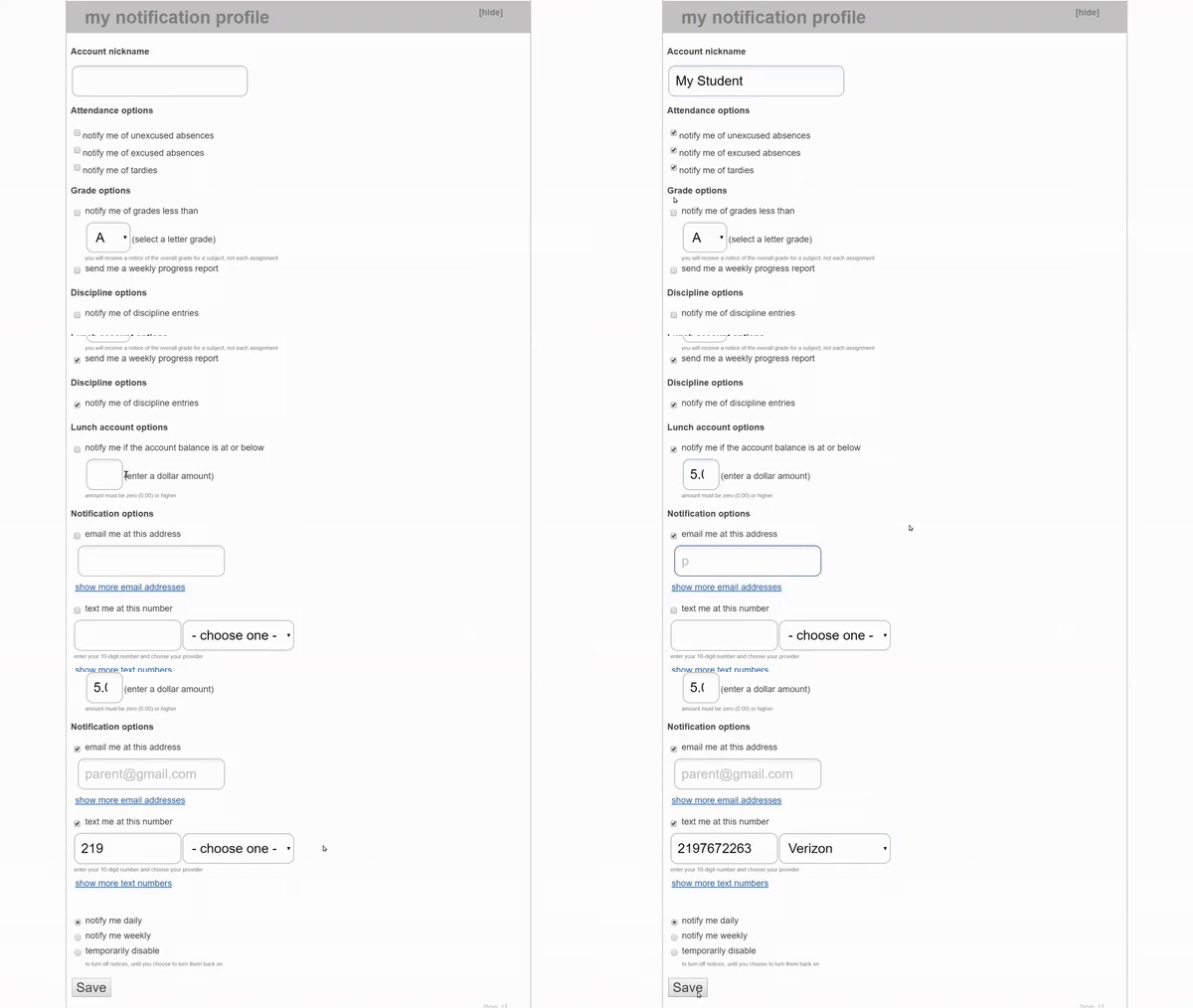
Students and parents/guardians can receive daily or weekly notifications from Harmony Family Access regarding attendance, grades, and discipline. To enable notifications, follow these steps:
- Sign in to Harmony Family Access.
- Select a student and scroll to the "my notification profile" section at the bottom of the page.
- Enter an account nickname and choose the desired notification options.
- Select Save.